Scriptbook playbook profile (CentrMark)
Write this so someone with no background can follow.
What do I need?
A .cmk file. The scriptbook CLI (Scriptbook the app). PlayTime is the library that actually runs the file.
CentrMark treats these directives as generic blocks. This profile gives them meaning. Do not put exec inside CentrMark FFI.
Three layers
See PlayTime, Scriptbook, and CentrMark. Short version:
-
CentrMark = the file format
-
PlayTime = the engine that plays it
-
Scriptbook = the CLI/GUI that you type into
Do not translate shells
Do not write one bash script and hope the Equivalence Engine rewrites it into PowerShell. That is a compiler, and we do not have one.
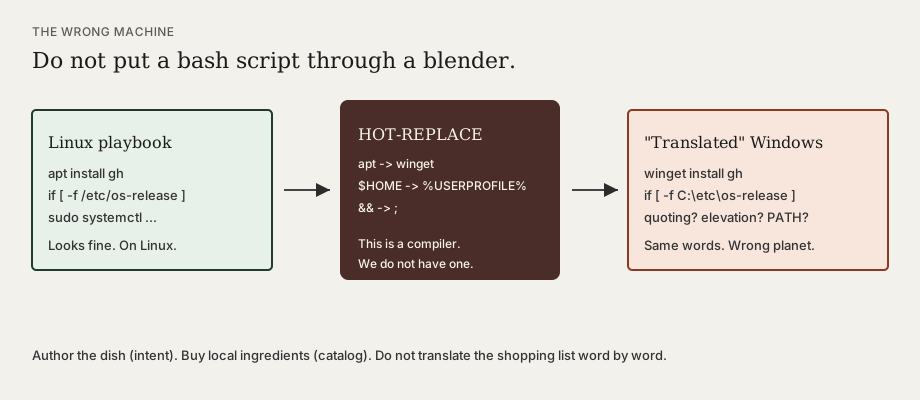
Write either:
-
A concrete script cell (best in Nushell, which is already portable), or
-
An intent cell: name what you want (
cli.install, toolgh). PlayTime asks the Equivalence Engine for the command that fits this computer.
Directives
::: playbook
Container.
-
id— playbook id (sidecar metadata) -
shell— default shell for glue cells:auto|nu|sh|bash|pwsh
shell= is for narrative glue. Install methods from the catalog are argv (no shell) unless the method says it needs a runtime.
::: step
A runnable cell. It is either a script or an intent.
Common props:
-
id(required for stable sidecars) -
cwd— working directory (default.) -
shell— override playbook default (glue cells only) -
timeout— reserved -
env— reserved -
confirm— if true, requiresscriptbook run --yes -
when— prior step id that must have succeeded -
when-answer— skip unless this answer matches (pkg-format=appimage) -
when-context— skip unless the host matches (windows/,linux/debian/)
Intent props (no OS script in the body):
-
intent— registered id, for examplecli.install -
tool— argument forcli.install(catalog tool id) -
bind— id of a::: choosewhose answer picks the format
If intent is set, the body may be empty. PlayTime fills the command at play time.
If intent is absent, the body should contain one fenced code block. That fence’s body is the script.
::: choose
Ask which format (or other catalog facet) to use. Not a global list of every Linux package type. Options are: this tool’s methods, kept only if this host can run them.
-
id— answer key -
prompt— shown to the user -
intent/tool— if set, PlayTime fills options from the Equivalence Engine- Nested `
-
option [id="winget" when-context="windows/*" formats="winget"]` is optional. If you omit options, the engine lists compatible methods.
On the CLI there is no wizard yet:
-
One compatible method → use it
-
Several methods → pass
--format wingetor an answers file, or the run fails with a list- === `
-
ask`
Free-text (or yes/no) answer stored in the sidecar.
-
id,prompt- === `
-
option`
- Child of `
-
choose`. Props:
id,when-context,formats.
Concrete example (script)
::: playbook [id="demo" shell="auto"]
::: step [id="hello"]
```
echo hello
```
:::
:::
Intent example (same file on every OS)
::: playbook [id="install-gh" shell="auto"]

::: choose [id="pkg-format" prompt="How should we install gh?" intent="cli.install" tool="gh"]
:::

::: step [id="install" intent="cli.install" tool="gh" bind="pkg-format"]
:::

::: step [id="verify" when="install"]
```
gh --version
```
:::
:::
Realization vs method choice
-
Realization — same step, different command (
winget install GitHub.clivsnix profile install nixpkgs#gh). The Equivalence Engine owns this. -
Method choice — same goal, extra satellite steps (AppImage needs a desktop file; MSI needs elevation). Use
::: choosepluswhen-answeron those extra steps.
The spine is almost always: detect → acquire → configure → verify. Windows vs Linux does not usually need two playbooks.
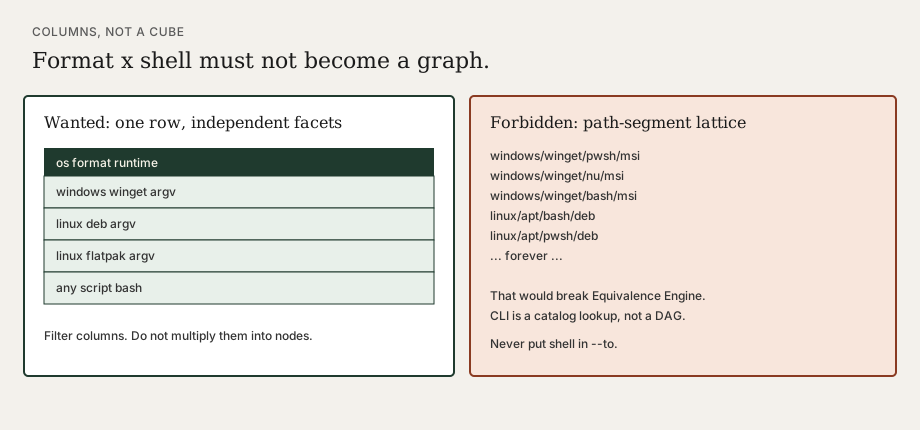
Format and shell are not one graph
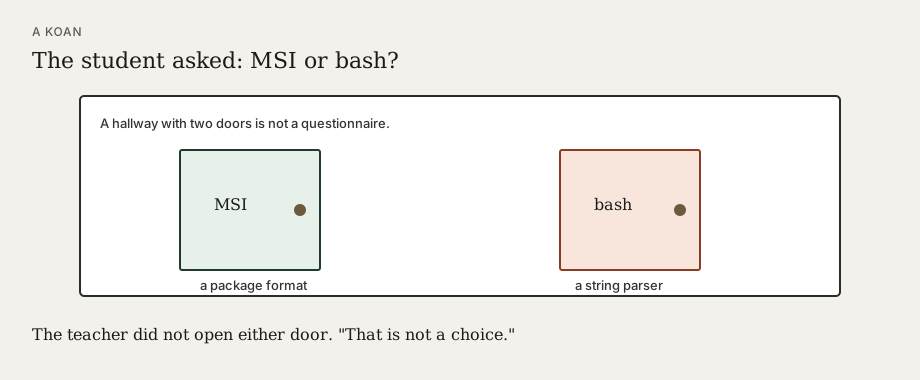
Do not invent context paths like windows/pwsh/msi. Shell is not a package format.
-
Format = which installer (msi, deb, flatpak, winget, …)
-
Shell = how a string would be parsed. Almost never an Equivalence Engine axis.
-
Runtime = rare constraint: this method is a script (
runtime bashforcurl | bash)
winget install GitHub.cli is argv. Any shell can spawn it. Prefer spawning it with no shell.
See also CentrMark, sidecars, and Host Awareness.