Distribute API keys with vault CLI, hosting CLI, and MCP
Push secrets from a human vault into local ignored env files and a hosting project’s environment variables. Prefer CLIs; use MCP when it is already authenticated and actually exposes the operations you need.
Concepts: Secrets distribution hub. Learning path: From vendor dashboard to deploy matrix.
Prerequisites
-
Project documents its env vars (
.env.example,.env.vercel.example, or docs). -
Vault CLI installed and unlocked (example: Bitwarden
bw). -
Hosting CLI installed and logged into the correct team (example: Vercel).
-
Optional: hosting or connector MCP—skip if the CLI is enough.
1. Inventory names
Read templates and code references. Do not invent variable names.
# Example layout (Next.js app package)
Get-Content .env.example, .env.local.example, .env.vercel.example
Classify each name:
-
Required now vs planned
-
Public (
NEXT_PUBLIC_*) vs secret -
Local-only vs Production / Preview
2. Unlock the vault and find keys
Store API material in custom fields on the login item (or a dedicated secure note), not only in free-form notes.
bw sync
bw unlock   # or set BW_SESSION from unlock --raw
bw list items --search convex
bw get item <id>   # inspect field *names* and value lengths; avoid dumping values into chat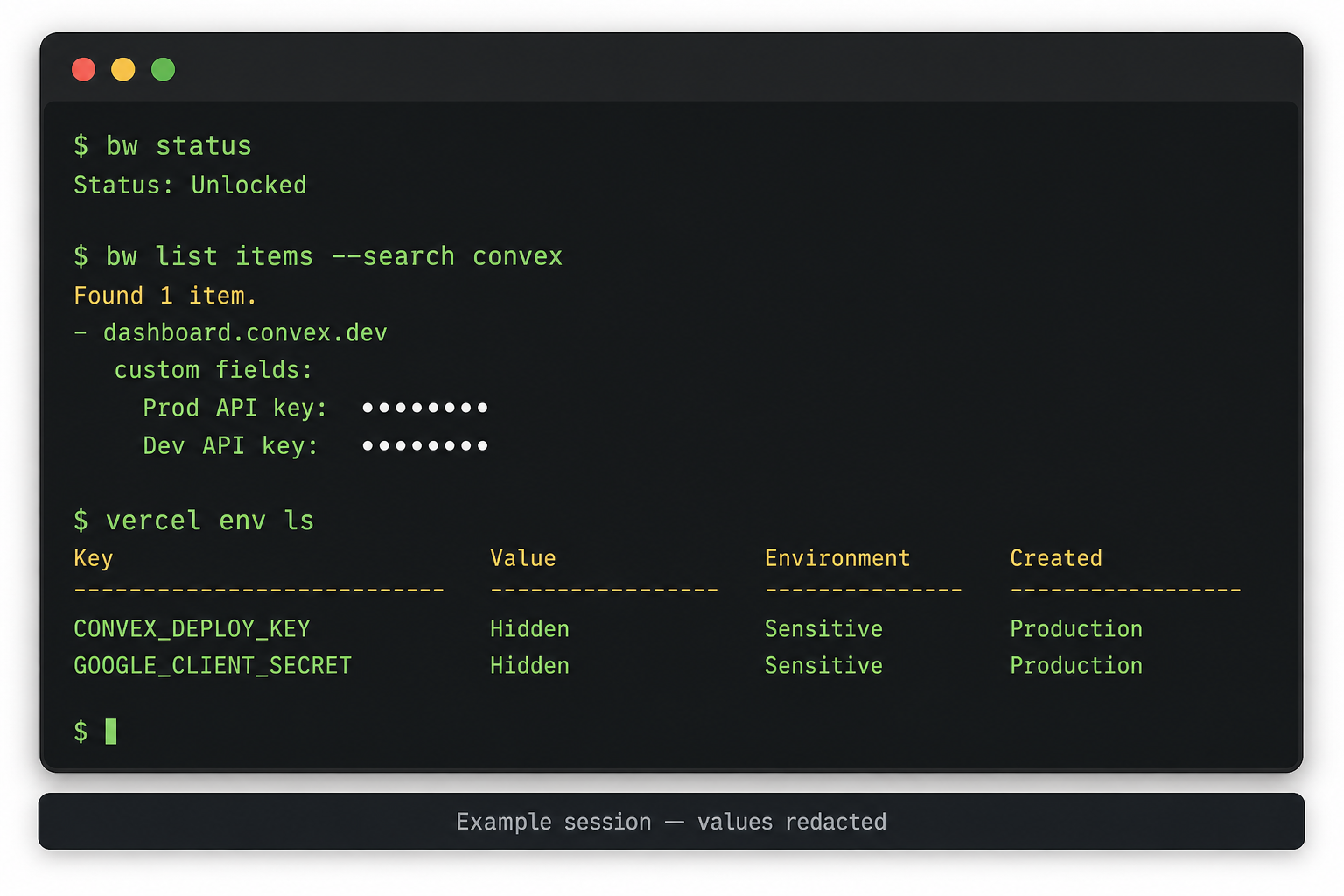
| If a connector MCP only exposes org group APIs, keep using the vault CLI for item secrets. |
3. Write local env
Copy examples → ignored local file. Fill from vault. Generate signing secrets that are not vendor-issued.
# Generate a local signing secret (example)
$bytes = New-Object byte[] 32
[System.Security.Cryptography.RandomNumberGenerator]::Create().GetBytes($bytes)
[Convert]::ToBase64String($bytes)
Never commit .env.local. Prefer allow-list .gitignore patterns that keep examples visible and secrets ignored.
4. Link hosting and push
Confirm team/project scope before writing.
vercel teams ls
vercel link --yes --scope <team> --project <project>
vercel env ls
vercel env add NAME production --sensitive --yes --force --value "<from-vault>"
Use separate production signing secrets from local. Set public app / auth URLs to the real deployment origin.
5. Report gaps
Typical incomplete vault entries:
-
OAuth secret present, Client ID missing
-
Vendor login present, no API key custom field (Radar, Resend, Customer.io, …)
-
Wrong account email (personal vs org)
-
Developer app credentials never stored (e.g. Square App ID/Secret)
Hand those back as a checklist; do not silently skip.
6. Optional: promote to a secrets hub
When hostnames and project matrices churn, seed Pulumi ESC (or another hub) from the vault once, then sync into hosting via IaC. See explanation and IaC.
Example instance (FoodTruckNerdz)
-
Bitwarden custom fields on Convex:
prod:…|…/dev:…|…deploy keys → deriveCONVEX_DEPLOYMENTandhttps://<name>.convex.cloud. -
Vercel team FTN /
ftn-site-nextjs; Google OAuth secret from org Workspace item; Client ID still to add. -
Org
infraPulumi = DNS today; ESC sync is the follow-on.
See also
-
Agent-rules suggestion:
suggestions/secrets-distribution-cli-mcp.mdin dev-centr/agent-rules